Queue management software for small businesses
Customers scan a QR code, get a number and follow the queue on their phone.
No card, installation or ticket machine. An instant queue lasts 72 hours; save it with a free account.
QR code queue system: how it works
Run the queue in a browser; customers join by QR code without installing an app.
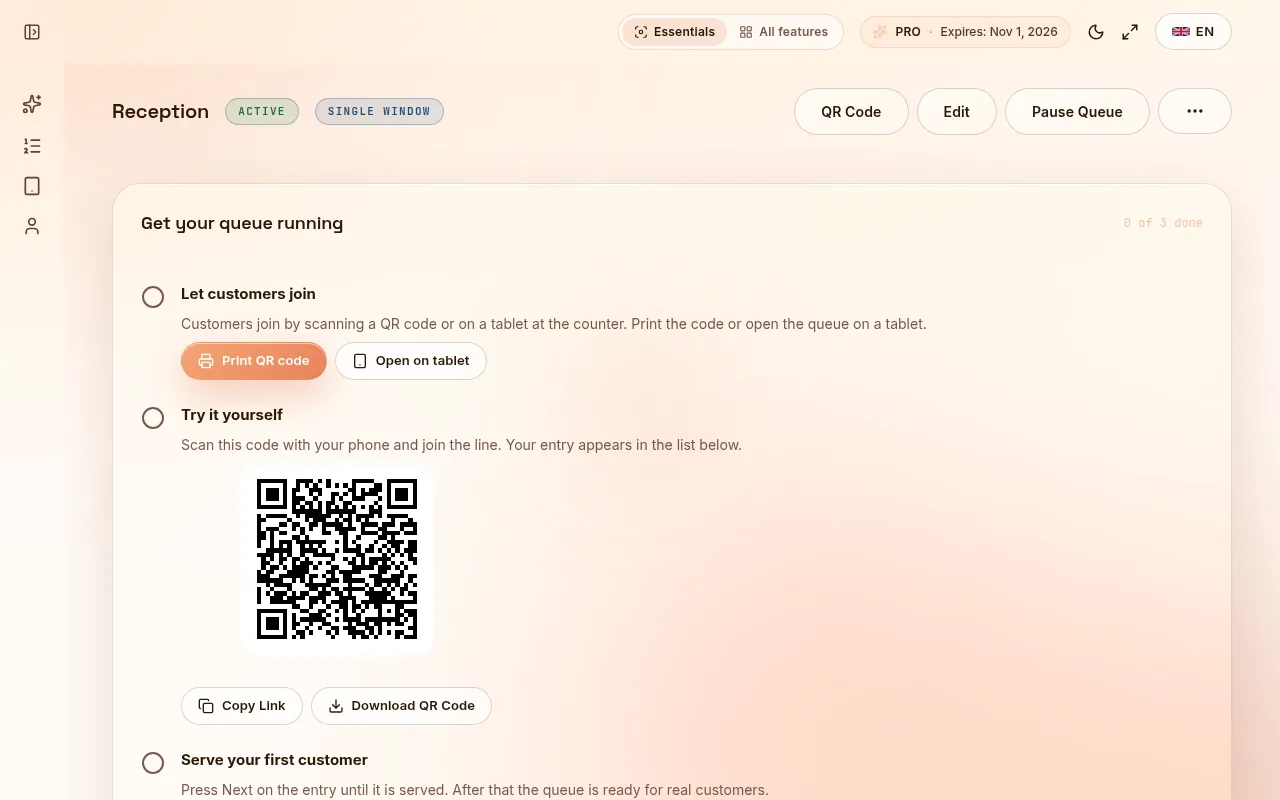
- Name your queue and open the operator screen.
- Print its QR code or show it where customers arrive. They scan it and take a number.
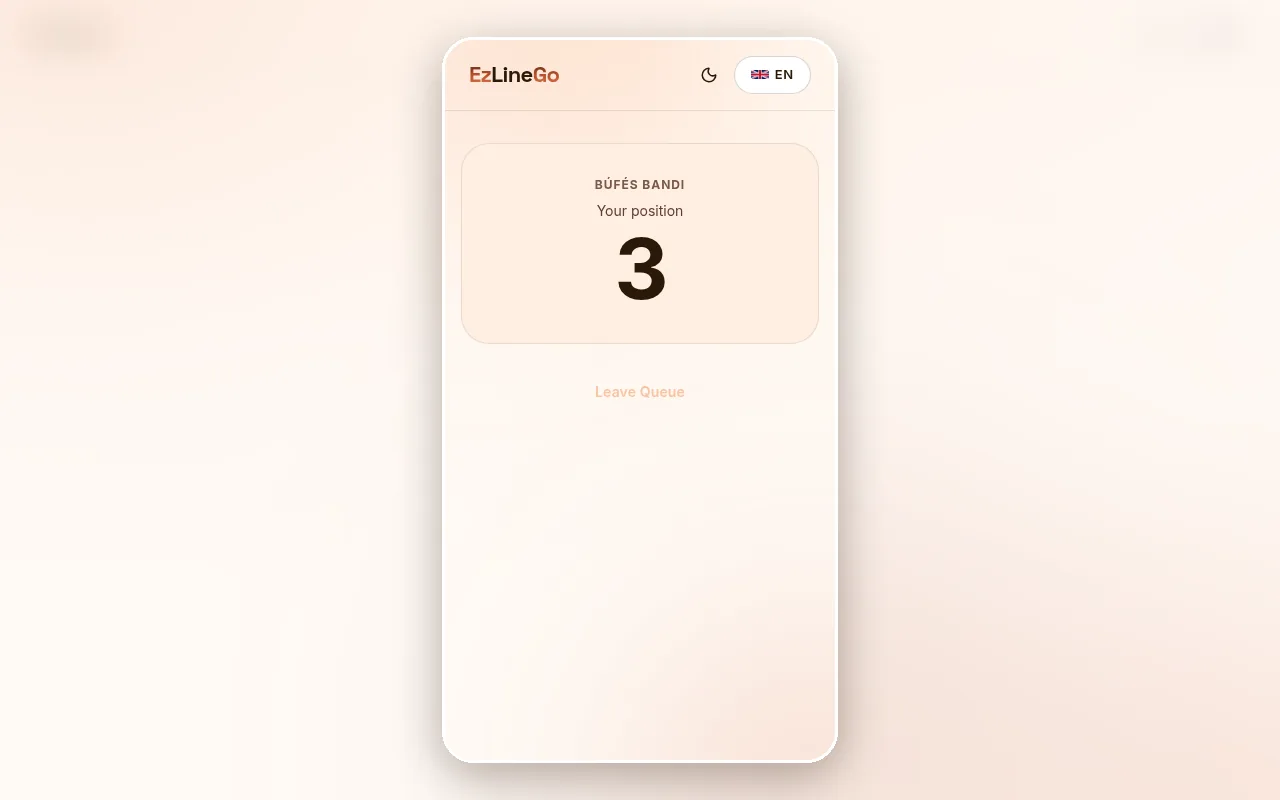
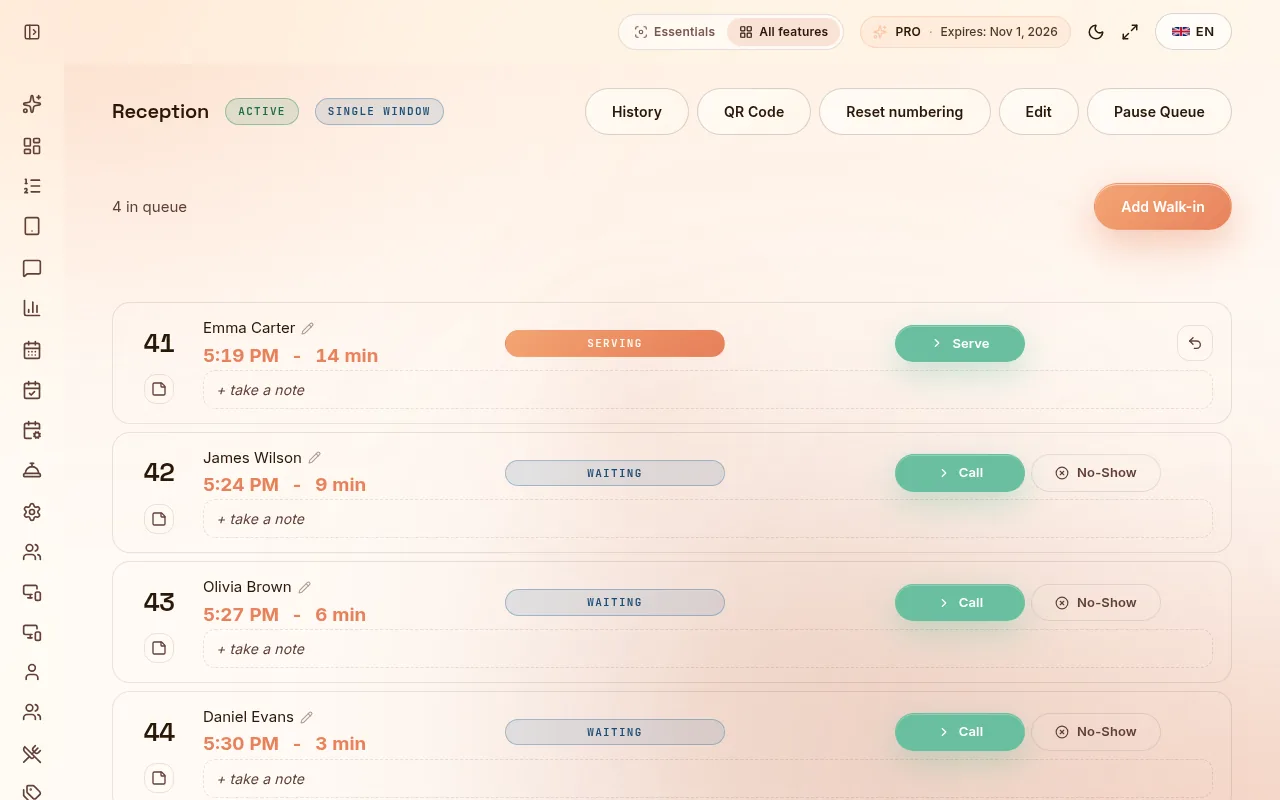
- Customers see their position and an estimated wait on their phone. Staff call the next number from the browser.
Start free. Pay for the features you need.
Free: one queue, one kiosk, 200 customers/day. Pro: €15/month, €36/3 months or €108/year (€9/month, paid annually). The 30-day Pro trial ends on Free unless you subscribe.
- Try the instant queue without an account; it stays available in this browser for 72 hours.
- Create a free account to save the queue and manage it from another device.
- Choose Pro for multiple queues and kiosks, unlimited daily customers, staff service windows, feedback and analytics.
Use a virtual waitlist where a physical line gets in the way
A virtual waitlist lets food-truck customers step aside, barbers manage walk-ins and small practices call patients in order.
- The customer page updates the queue position in real time.
- Staff can add a walk-in for someone who cannot scan a QR code.
- Test notifications and the queue flow on your own devices before using it with customers.
When a different queue system is a better fit
Check other suppliers if you need SMS conversations, ticket-printer integrations, an enterprise SLA or certified clinical records.
- For a single busy counter, begin with Free and one real service session.
- For several staff members or separate order and pickup windows, test Pro.
- Compare free limits, billing periods, hardware and communication channels, not just the headline price.
Questions before you start
Is there a free queue management system?
EZLineGo has a Free plan for one queue, one kiosk and up to 200 customers per day. The no-signup instant queue is a separate way to try it and lasts 72 hours in the same browser. Pro is optional.
Do customers need an app or a ticket machine?
No. They open the queue link or scan a QR code in their phone browser. Staff manage the queue in a browser and can add walk-ins manually.
What is the difference between queue management and appointment booking?
A queue orders people who are waiting now. Appointment booking reserves a future time. EZLineGo offers queue management on Free; online booking is a Pro feature.
How much does an affordable queue management system cost?
EZLineGo Free costs €0. Pro is €15 monthly, €36 for three months or €108 for a year. The yearly plan works out to €9 per month, charged for the full year. Compare your visitor volume and required features before choosing.